Media editor: build vs buy in the age of AI
Polotno

Live demo

Brokerage brand studio

A two-role studio built with Polotno SDK: head office owns the templates and locks every element it wants fixed, agents fill them from listing data. Sign in as either and see the same library from both sides.

Luxere is a fictional Los Angeles brokerage with 2 offices and 5 agents under one brand.

Sign in as head office and you can design the templates and lock the elements you want fixed. Sign in as an agent and you can pick a listing and edit whatever head office left open.

There are no passwords, and nothing you change affects anyone else.
Loading the live demo…

Luxere wants its listings sold, and the enquiries come from social. Every listing needs posts, and needs them more than once while it is on the market.

Almost none of that is design work. The address, price, specs, photography and agent are already in the listing record, so designing each post by hand is retyping data into a layout. The design work is the template.

Head office draws the template once and locks what must not move. Everything that varies carries a field name instead of a value, and the listing fills it. Permissions and bindings both live in the Polotno JSON document, so a template carries its own rules wherever it goes.

What head office controls

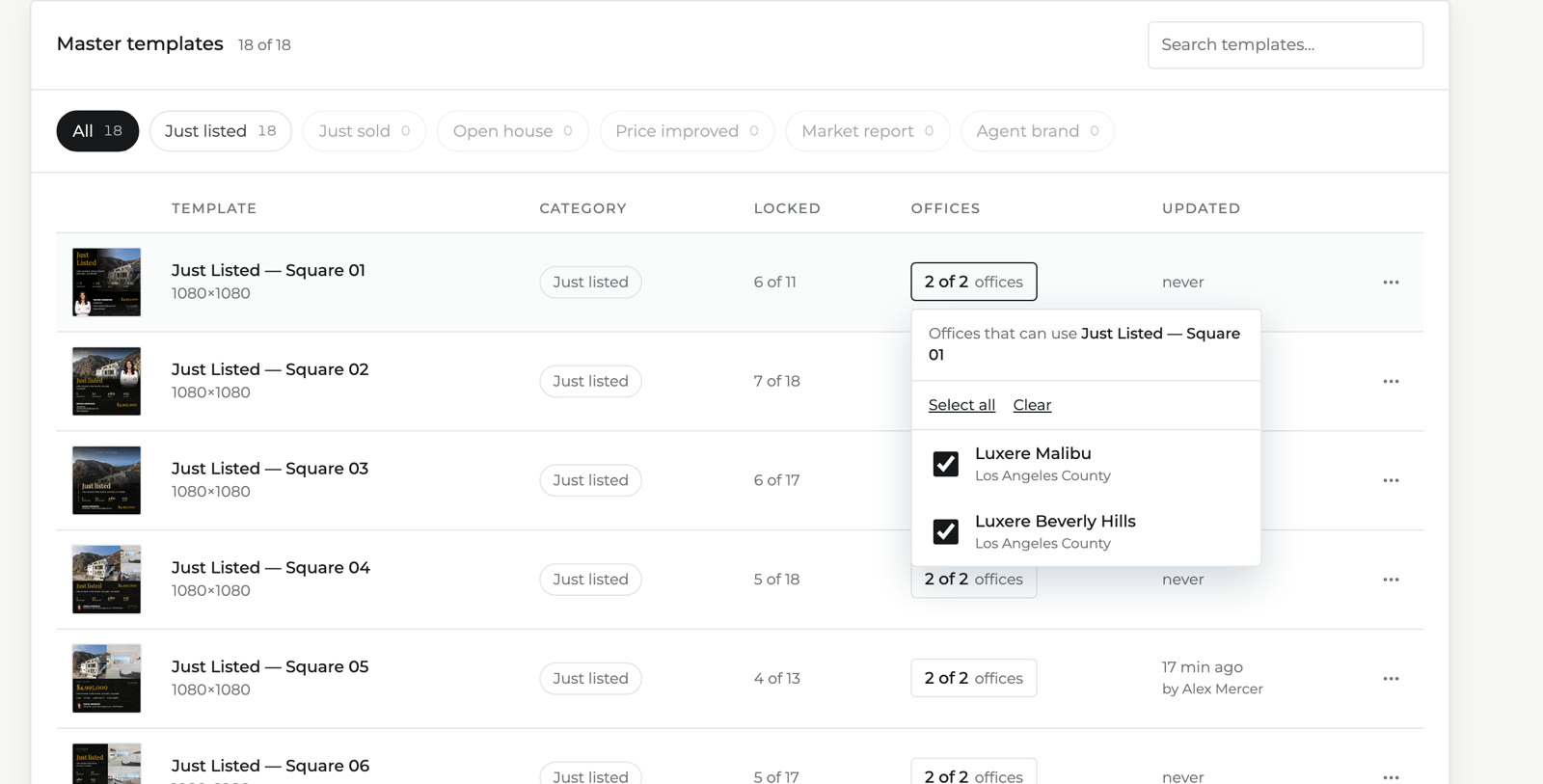
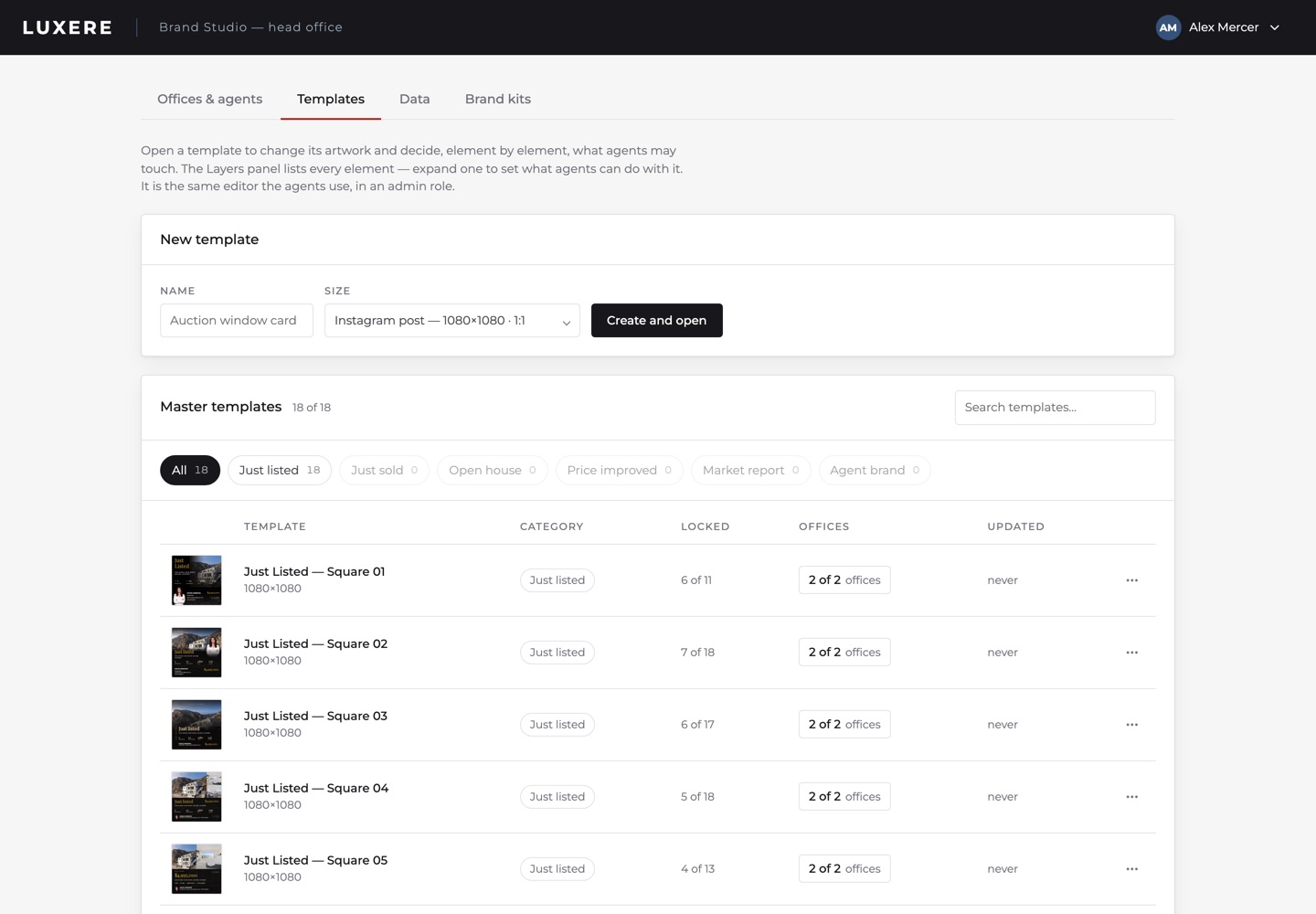
The console opens on the master library. It lists 18 templates. Every row shows the template's category, how many of its elements are locked, and which offices can open it. All 18 in this demo are Just Listed squares, because that is the only category it ships with.

The head office template library, listing eighteen master templates with their locked-element counts and office access

Locked counts per template: 6 of 11, 7 of 18, 6 of 17.

Locking element by element

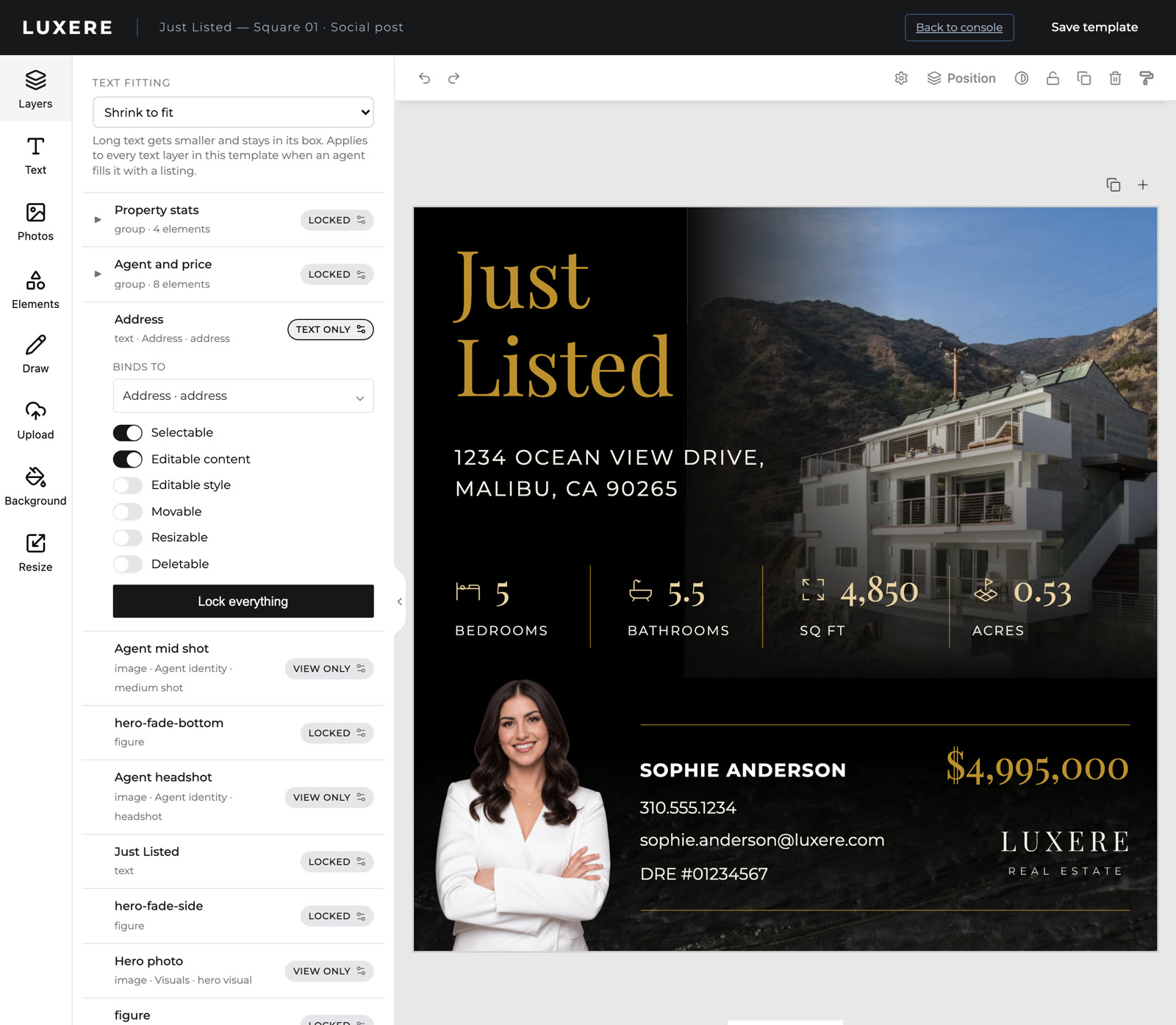
Head office opens a template in the same editor agents use, in an admin role. The Layers panel lists every element. Each element carries five independent permissions: edit text, restyle, move, resize, delete.

Head office setting what an agent may do with the address element: edit the text, and nothing else

The address: text editable, everything else fixed.

The flags live in the design document itself, so copying a template copies its locks.

The fields a template can draw on

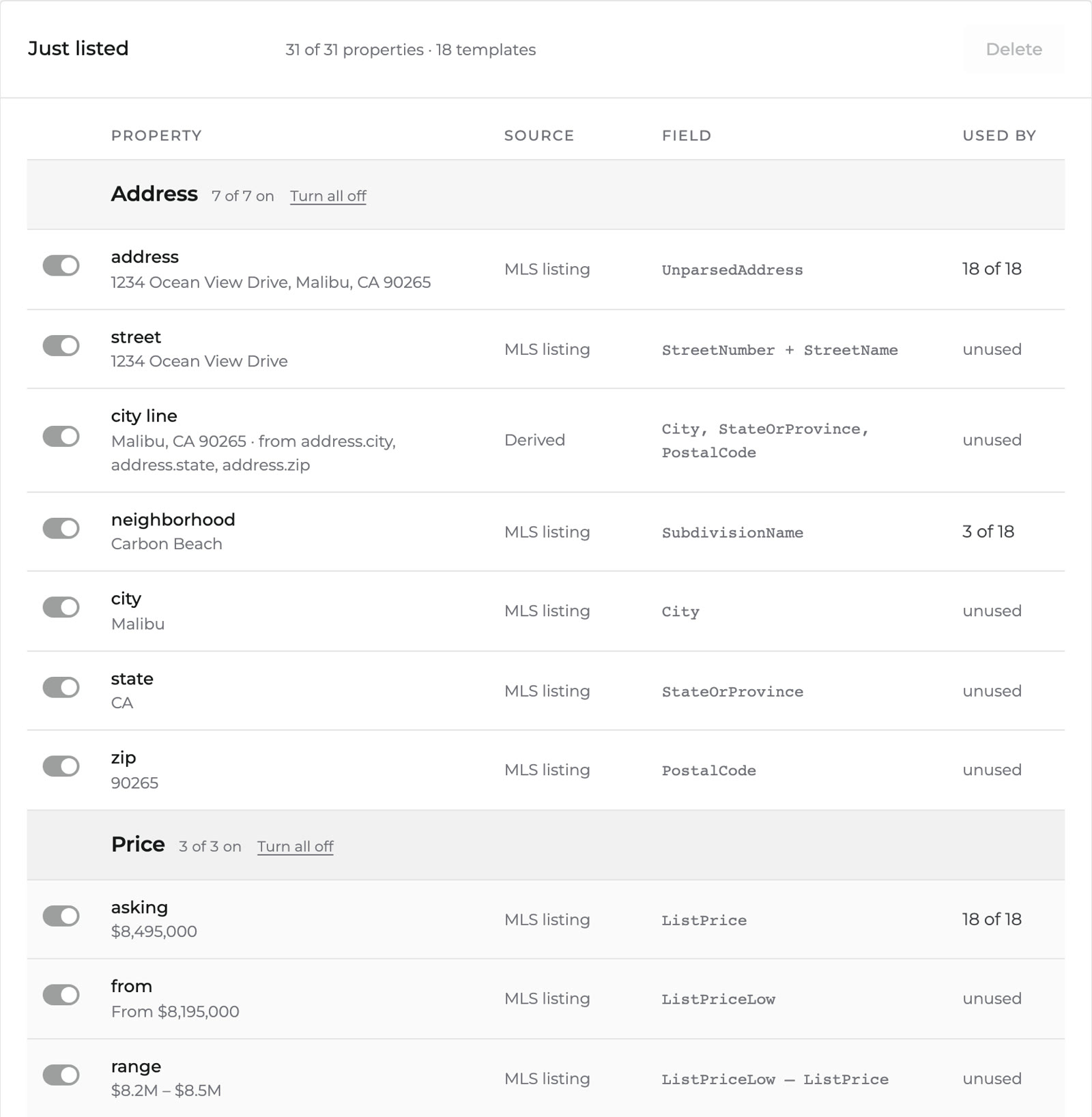
An element holds a field name where its content would normally sit. The price box holds the asking price. The address line holds the full address. The stat row holds bedrooms, bathrooms, floor area and land area.

The Data tab, listing each available field with the MLS field it maps to and a count of how many templates use it

Each field maps to a named MLS field. The count shows how many templates depend on it.

The template only knows the names, so the source behind them can be anything. This demo reads sample listings. In production the same names point at an MLS feed over its RESO Web API, or at a CRM. The template itself stays as it is.

Which offices get which templates

Templates are assigned per office. An agent sees only their office's set. Moving an agent between offices changes what they can produce.

Choosing which offices can use a template

Offices, agents and the brand

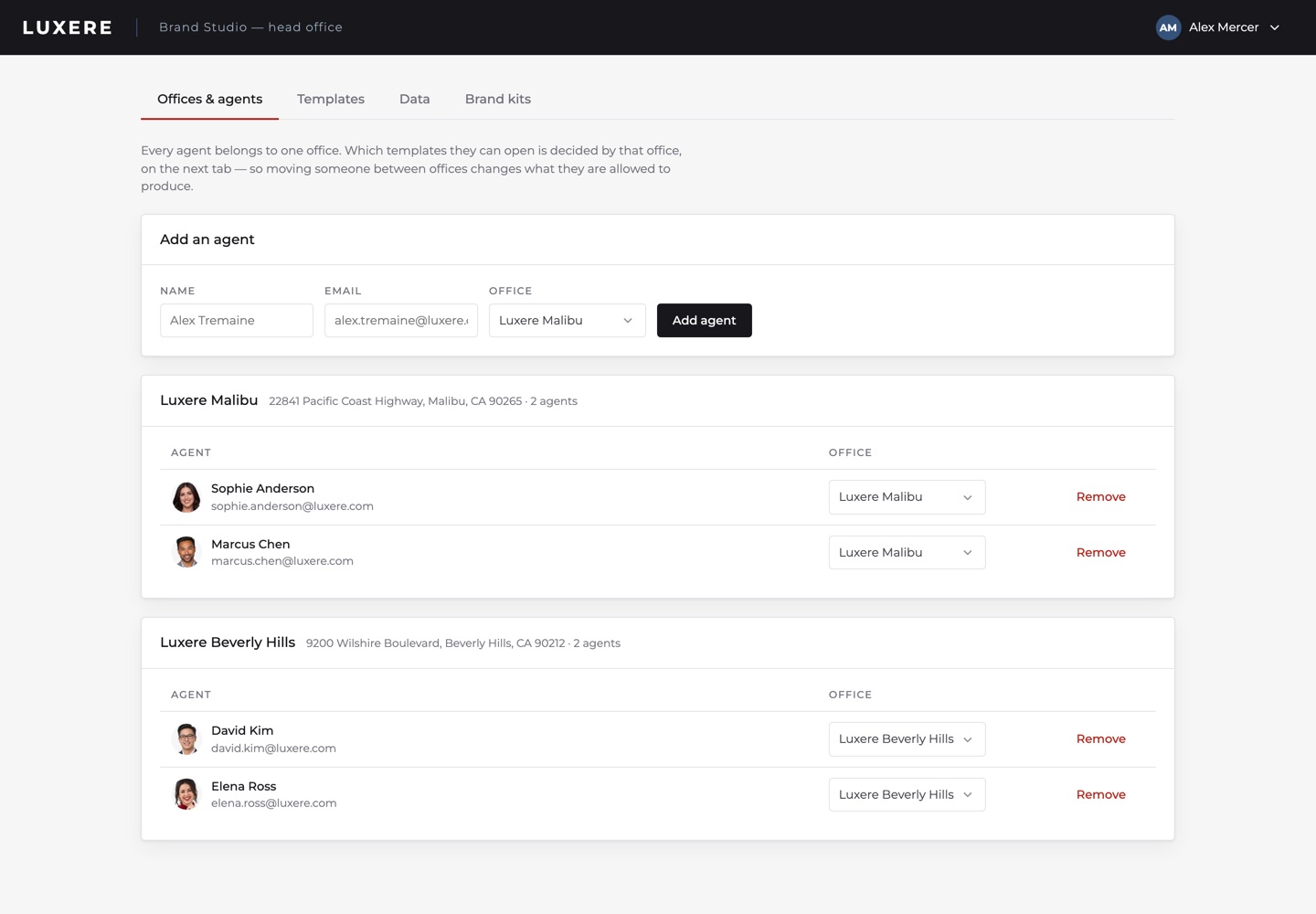
The same console holds the offices, their agents, and a brand kit per office covering typefaces, palette, type presets and logo. Agents have no access to it.

The offices and agents tab, showing both Luxere offices and the agents in each

What an agent does

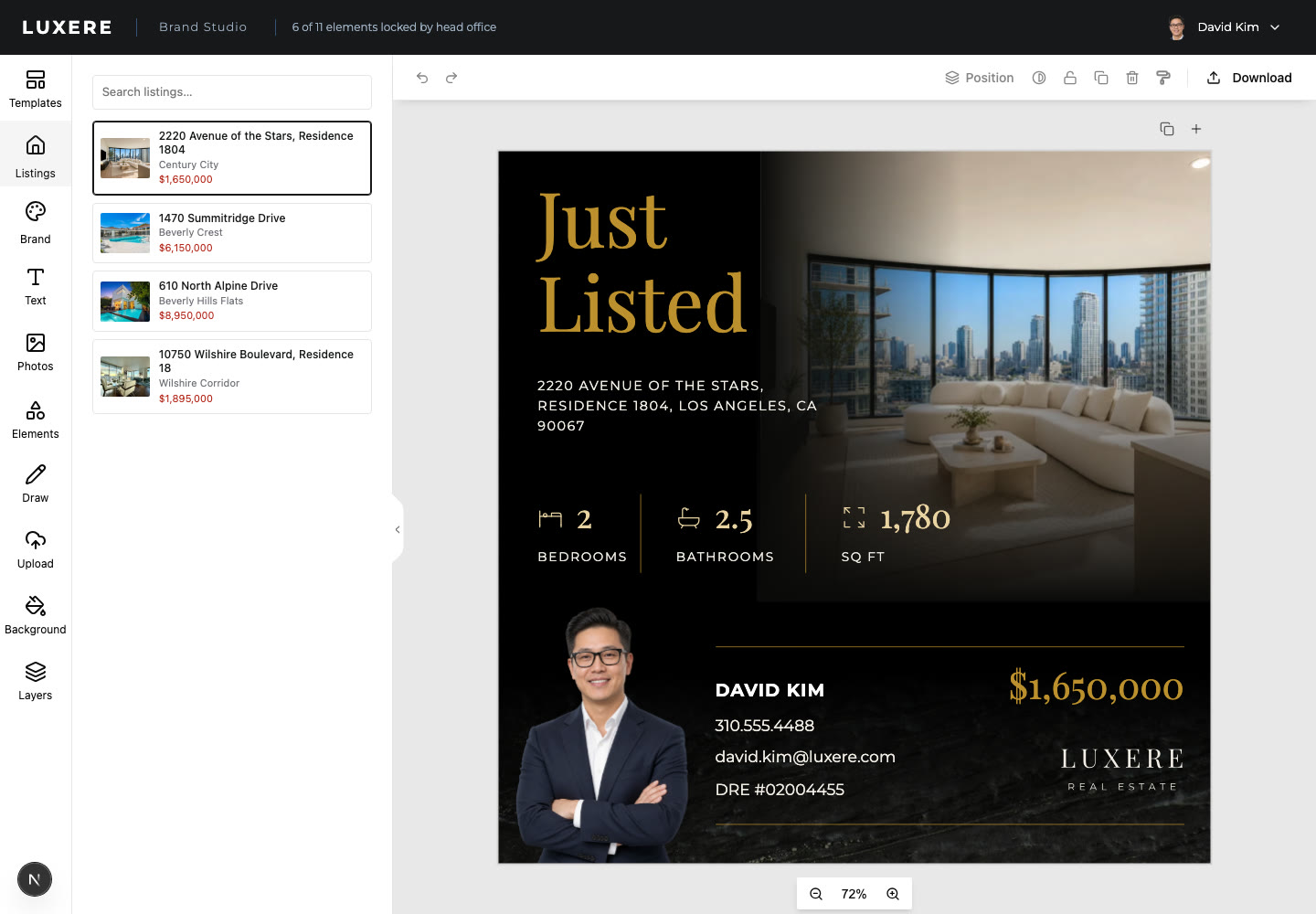
An agent sees their office's templates and the listings available to them. Selecting a listing fills every bound element: address, price, specs, photography and their own contact details.

An agent's view: the listing picker on the left, finished artwork on the right, and a header reading six of eleven elements locked by head office

6 of 11 elements locked, stated in the header.

An agent can pick a listing, pick a template, edit the unlocked elements and export. An agent cannot move the logo or remove the licence line.

Edge cases on real feed data

Four conditions break a template library that was drawn around one listing.

Fields that arrive empty

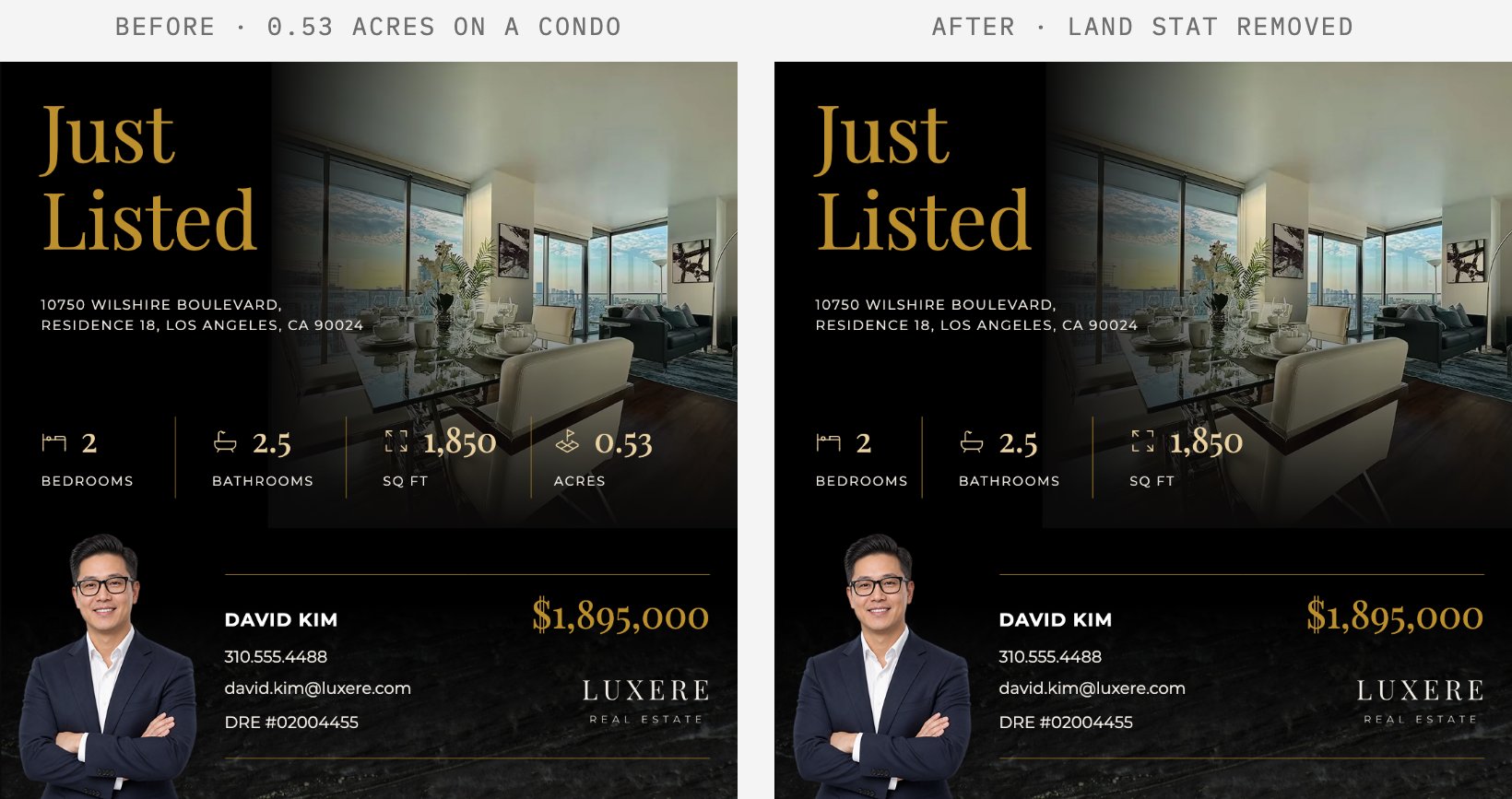
Feeds leave fields blank. A composed line drops any clause whose field is empty, along with its separator. A group whose bound values are all empty is hidden, and the remaining groups reflow at the spacing the designer set.

Before and after: an apartment post advertising half an acre of land it does not have, then the same post with the land stat gone and the row closed up

The apartment has no land area, so the stat is gone and the row has closed up.

Text longer than its box

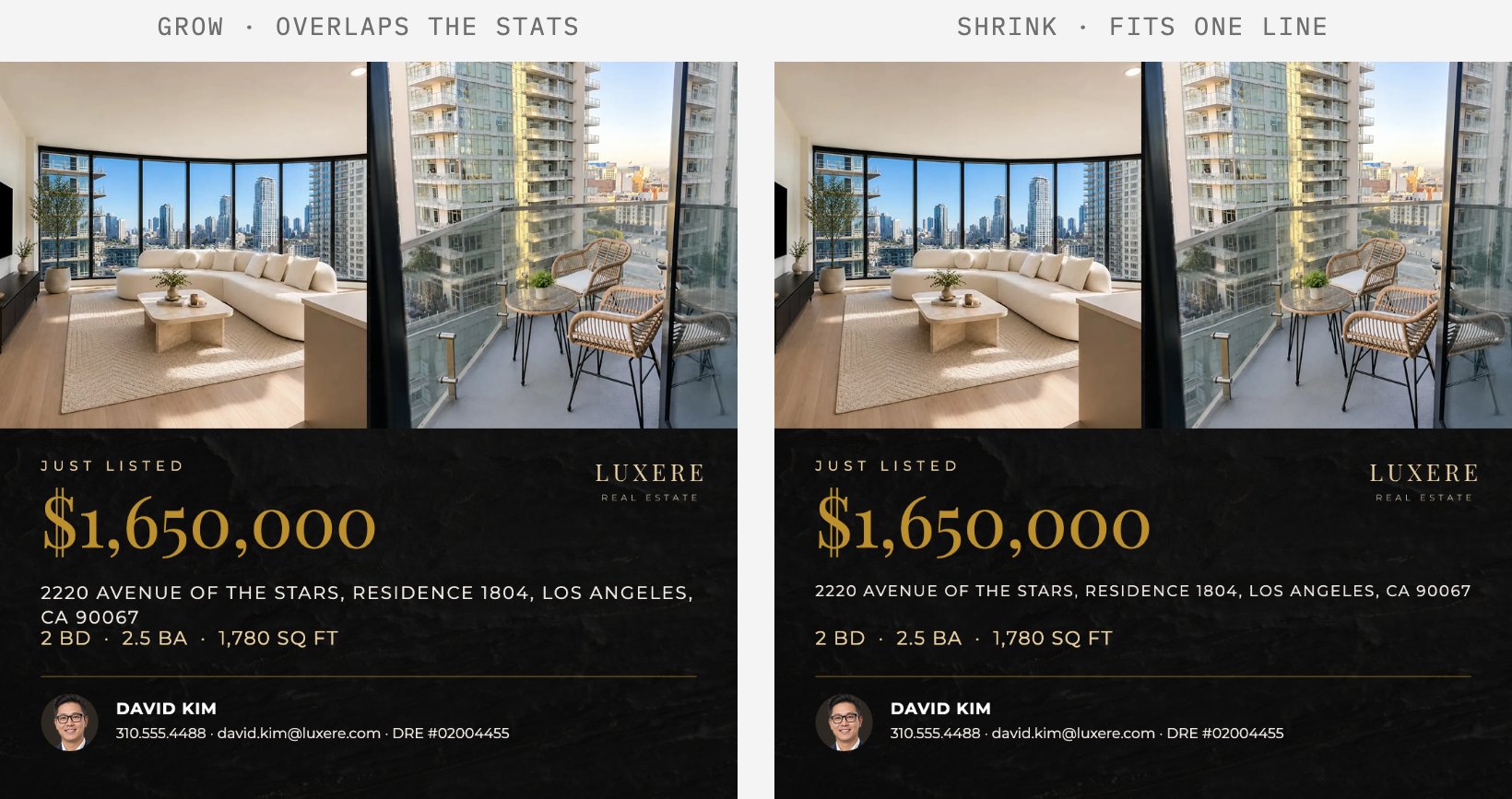
Fields are sized for one listing, and longer values overflow. Head office sets per template whether text shrinks to fit or the box grows. Shrink is the default, because it cannot move anything else on the page.

The same template with a long address: with Grow the address wraps and crowds the stats line, with Shrink to fit it stays on one line

Photography not shaped like the slot

Source photos rarely match the slot's aspect ratio, and a centred crop discards whatever sits off-centre. The demo measures edge energy across the image, which concentrates on walls, windows and rooflines rather than sky, lawn or water, then centres the crop window on that span and clamps it to the image bounds. A photo with no measurement falls back to a centred crop.

Whose details appear

Agent details come from whoever is signed in rather than from the listing record. Title, portrait, contact details and licence number belong to the agent. Blank fields fall back to the feed.

An agent's profile screen, where title, portrait, contact details and licence number are theirs to set

Rendering without an agent

Templates are data, so the selection can happen server-side. When a new listing enters the feed, the server calls the rendering API once for each template that listing's office holds. The agent downloads finished files instead of making them. The locks and office assignments are the same ones head office set in the console.

Where it fits

Use this if you run marketing for a brokerage and want agents posting their own listings without a designer checking every one, and without the brand slipping. Or if you build software for brokerages and want this inside your product.

Need this built against your own brand, templates and listing feed? That is work we take on. Talk to us.

Build your own editor on Polotno SDK

TRUSTED BY

100,000+

CREATORS

300+

BUSINESSES

ExpediaUnbounceLovePopPostGridPredis.ai