
Every other real estate tool now promises that AI will make your listing marketing for you. Give it a property and it hands back a finished flyer.
Some of it holds up. AI writes decent captions and can stage an empty room. The trouble starts where things have to be exact. A generated flyer is a flat image, so if it lists three bathrooms instead of two, there's no field to fix. You generate it again and get a different flyer. At a scale of hundreds of agents, this is not sustainable.
I build Polotno and work with real estate teams all the time. What holds up for them is letting each side do what it's good at. AI keeps the loose parts. The facts come straight from the listing and the design – from templates your team already approved.
The demo below is a working setup for a fictional LA brokerage called Luxere. Sign in as head office to run the offices, agents and brand rules, or as an agent to pick one of the demo listings and export on-brand pieces.
Open the demo full screenWhere AI listing marketing breaks
A wrong number means starting over
Whatever the AI generates, a flyer or a social post, comes back as a flat image. If the square footage comes out wrong, there's no field to correct, so the agent generates again and gets a different design.
Every piece looks a little different
A brand works when every listing looks like it came from the same brokerage. AI builds each piece from scratch, so the layout and type shift from one agent's post to the next. The brand constantly drifts.
The required details are left to chance
Plenty of listing posts carry a bit of fine print, like the agent's license number or an MLS notice. AI tools are hit and miss with it. One post has it, the next one doesn't, and sometimes it's there but altered, carrying a typo or a wrong number in the license.
Let AI do the loose parts. Let templates do the exact ones.
Let AI handle the parts where a little variation is fine, like captions and photo cleanup. Decluttering a room or staging an empty one is a good example. The cleaned-up photo drops into the template's photo slot like any other image, and the facts around it still come from the listing. If your market asks for a "virtually staged" note on edited photos, bake it into the template as a label, and it goes on every piece automatically.
This two-minute walkthrough in Polotno's editor runs through declutter, empty room, virtual staging, weather and lighting one by one, including a result that needs another pass. The Luxere demo sticks to the template half.
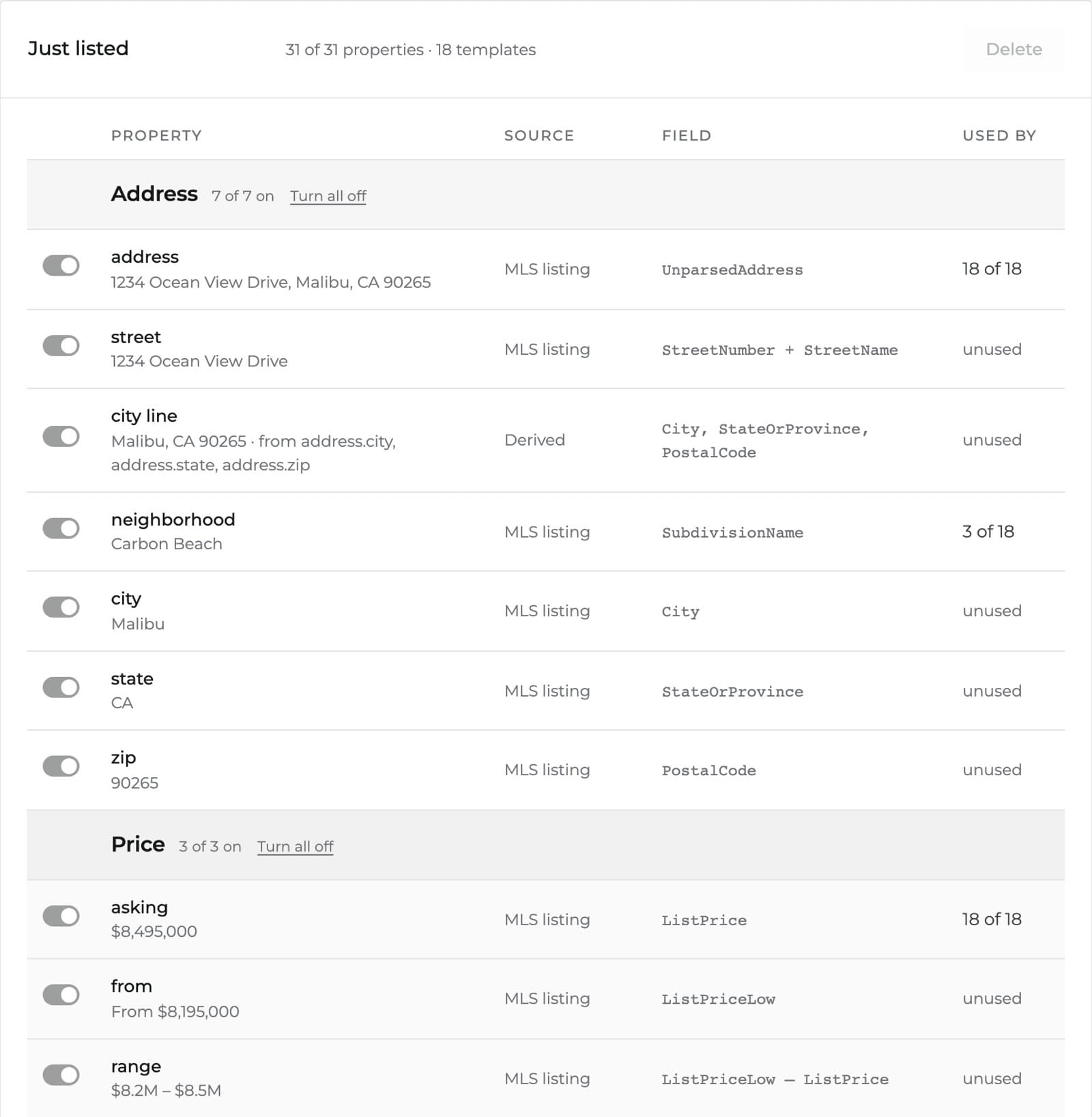
Everything that has to be exact comes from structured data instead. Each template is a JSON document, and every element in it is tied to a named field. The price box reads ListPrice from your MLS feed and the address reads UnparsedAddress, while the agent's name and license number come from the profile of whoever is signed in. When an agent picks a listing, every field fills itself and the piece is done. Your marketing team designs the templates once and decides which fields an agent can still edit when they need to.
The listings in the demo are sample data. In a real setup the same fields usually come from your MLS through its RESO Web API feed, or from your CRM if it already syncs your listings. The templates don't change either way, because they only know field names.
The brand stays locked
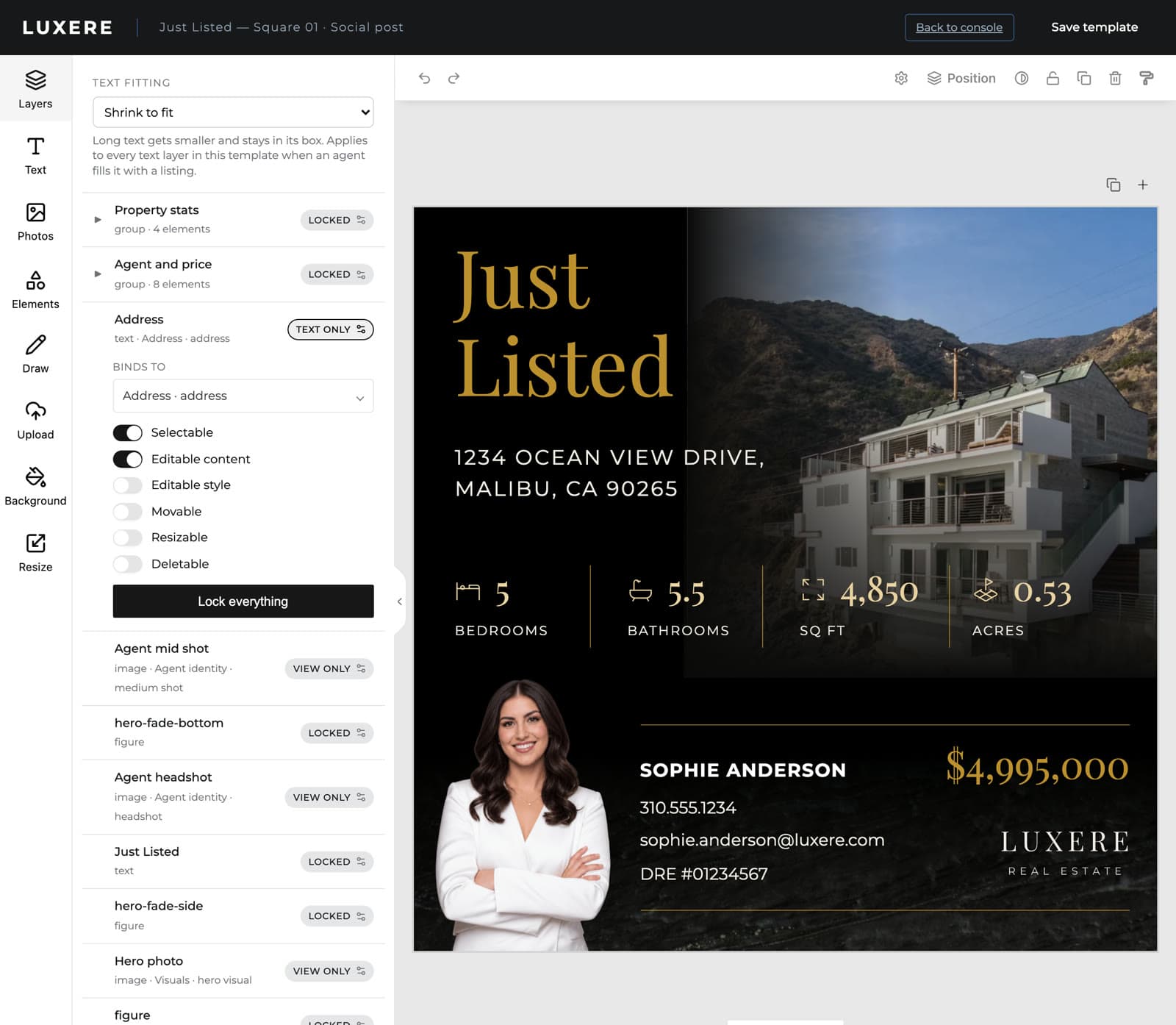
Every element in a template starts locked. Your team opens up only what agents should edit, and for each element chooses whether they can change the words, restyle it, move it or delete it. The logo and the disclaimer stay put.
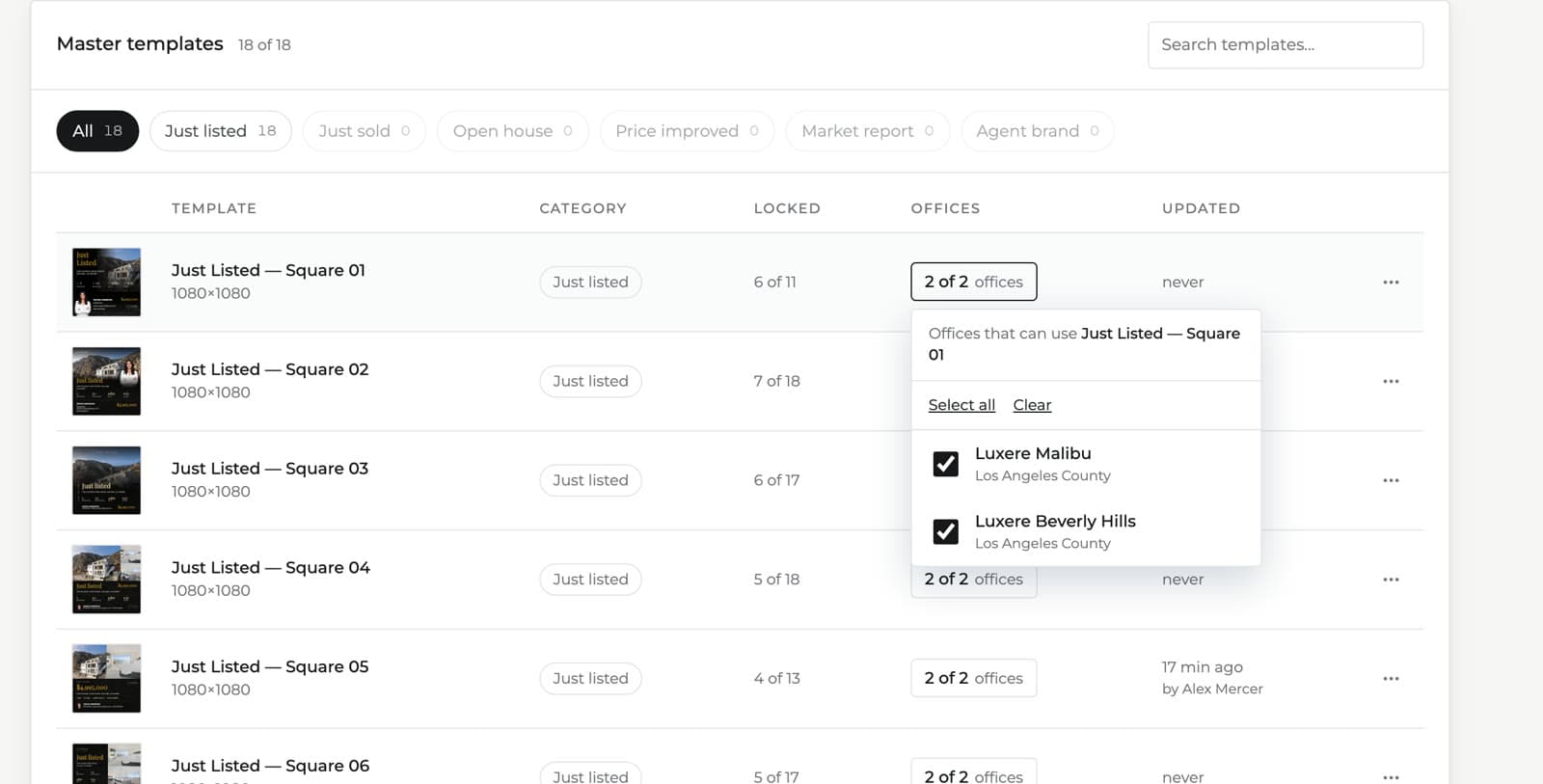
The right templates reach the right offices
You choose which offices can use which template, so a Malibu beach campaign never shows up for the Beverly Hills team. When an agent moves office, their template library moves with them.
Updates reach everyone at once
Templates live in one library. When your designer updates one, every agent gets the new version the next time they open it.
The next step: nobody clicks at all
Today an agent still opens the tool and picks a listing. The templates are data, though, so a server can make that choice for them. When a new listing arrives in your feed, a server renders every template the listing's office can use, and the finished files are waiting before the agent has thought to ask.
Today · an agent does it
- New listing goes live
- Agent opens the studio
- Picks the listing and a template
- Downloads the file
Next · the feed does it
- New listing arrives in the feed
- Server renders every template the office can use
- Finished files wait for the agent
Both run on the templates and locks head office already set up.
That changes the math of listing marketing. Say your offices list 40 homes a week and each office has five templates. That's 200 finished pieces a week, each filled from the listing and locked to the brand, and nobody made any of them by hand. Your marketing team's job becomes the templates themselves, and a new agent or a new office adds nothing to it.
This is usually where teams go once templates and listing data are in place. The same templates and locks feed a rendering API, in the cloud or self-hosted, and a new listing in the feed becomes the trigger.
The exact half has its own edge cases
Filling templates from data is predictable, but real listings still throw up edge cases. These are the ones that come up again and again in real estate templates, and how the demo handles each.
Listings with missing details
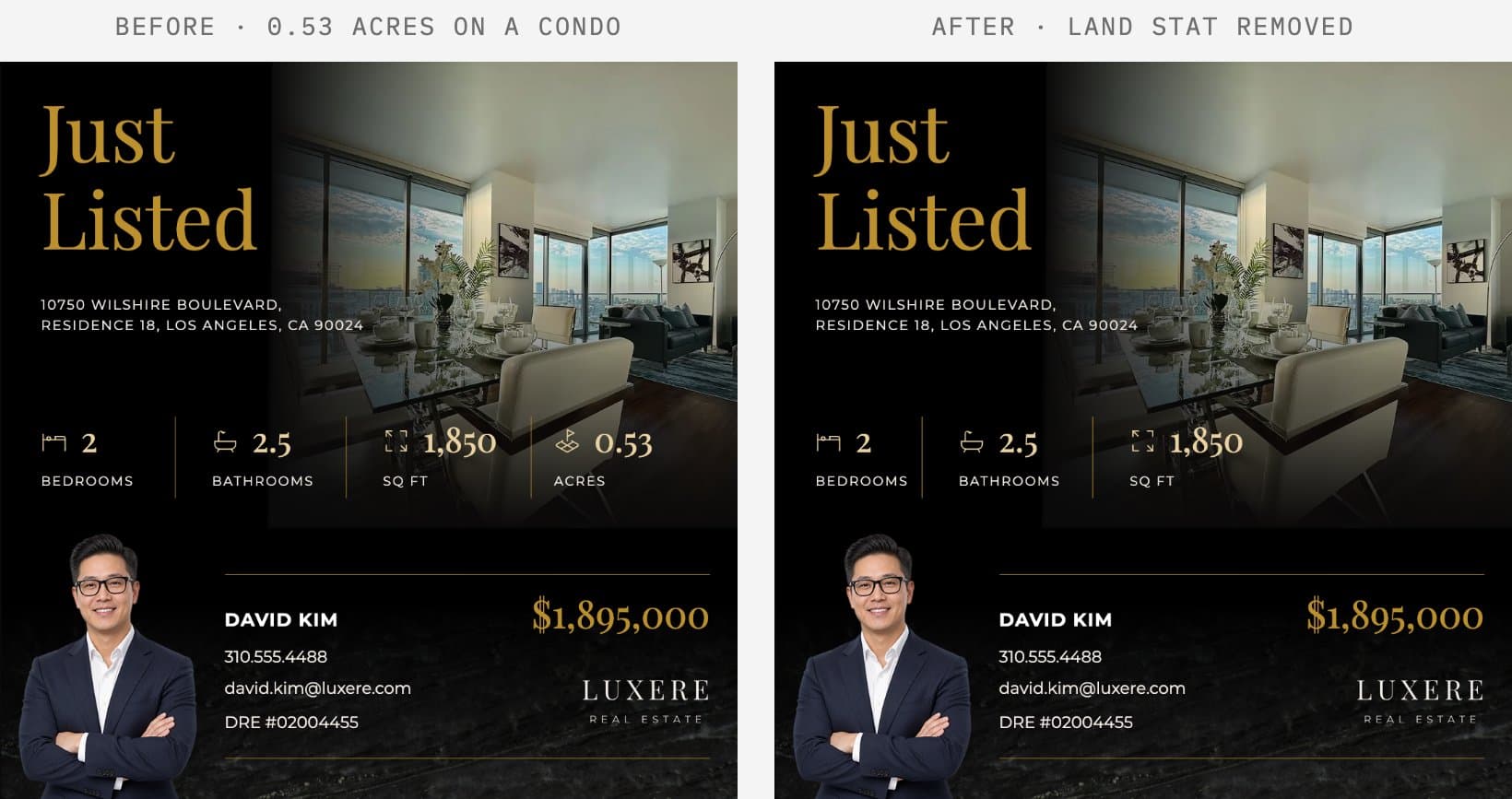
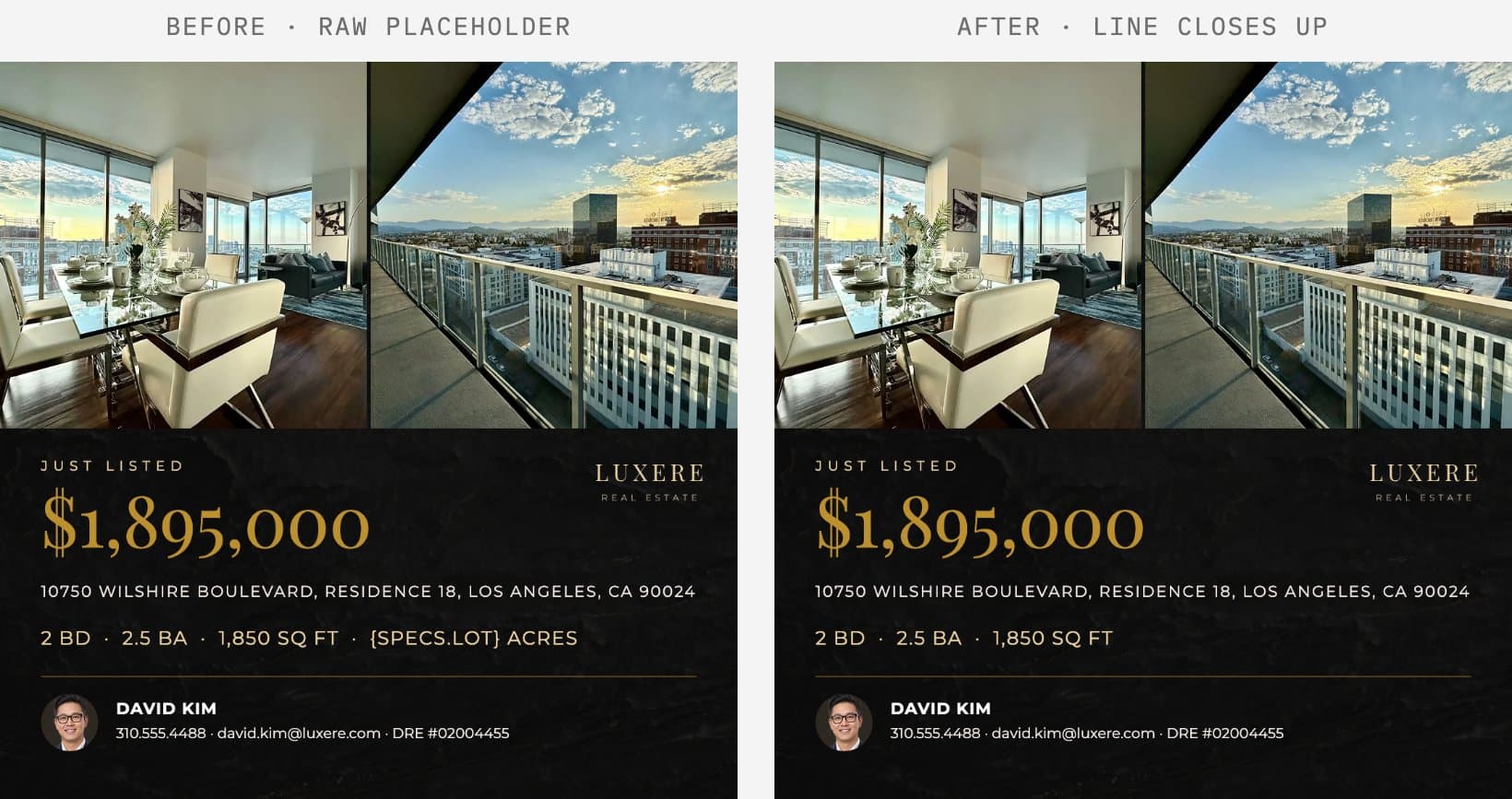
Templates get designed around one sample house. Load an apartment into a template drawn for a beach house and the flyer can end up selling half an acre of land. Feeds never fill every field for every property, so the demo drops the missing detail and closes up the gap.
Text longer than its box
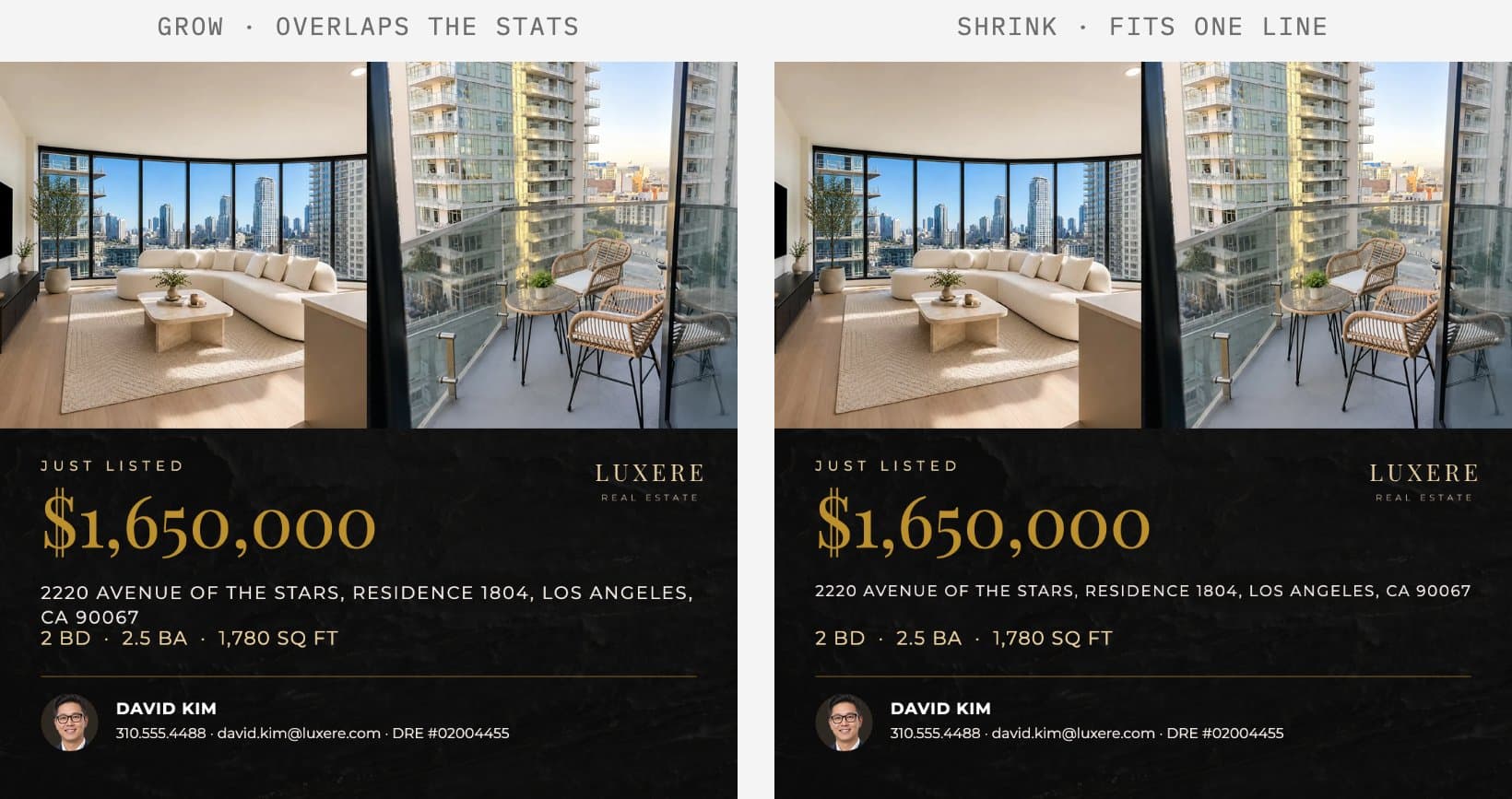
A designer sizes each field for the sample listing, and a longer address wraps into whatever sits below it. Head office picks per template whether text shrinks to fit or the box grows, and shrink is the default.
Photos in different shapes
Listing photos come in all shapes. The demo fits each one to its slot with a centered crop, which keeps most houses in view. Framing around the house itself is the next refinement.
Logo and fine print
The listing feed carries neither your logo nor your legal copy. Both come from a brand kit head office controls.
Try it
Sign in to the demo above as head office first. Look at the locks on a template and at which offices can use it. Then sign out, sign in as an agent, and switch between a house and an apartment to see the artwork update.
If you run marketing at a brokerage and want to see this on your own templates and listings, get in touch. If you run a real estate platform or CRM and want to offer it to your brokerages, the real estate platforms page has more.




