
Machine‑readable codes are not decorative. In an automated design pipeline, a QR code or barcode is a functional artifact that has to survive encoding, rendering, layout, export, and a real scanner. Most "it worked in the preview" failures trace back to earlier stages: payload density was too high, the quiet zone was clipped, the export rasterized at the wrong DPI, or printing introduced dot gain.
This guide is for teams using Polotno SDK integration to build an embedded design editor inside a SaaS product, where templates are rendered programmatically for dynamic image generation and print‑ready PDFs.
If you want working demos you can run and adapt, start here: Examples directory (Polotno docs).
The goal is reliability: deterministic generation, predictable sizing, and automated QA that scales to thousands of unique codes per batch.
Code types and when to use each
You usually choose between QR and 1D barcodes based on two constraints: scanner hardware and payload shape. QR is the default for modern web flows because it scans well from screens and tolerates rotation. 1D barcodes still win in retail and logistics because many existing scanners and POS systems are optimized for them.
QR codes
QR codes are 2D matrix codes. They handle rotation well and tolerate damage via error correction.
Use QR when you need to encode a URL or token, when users scan from phones, or when you want room to evolve the payload format.
1D barcodes
1D barcodes encode data linearly. They are often faster to scan in industrial contexts but are more sensitive to blur, skew, and aspect‑ratio distortion.
- Code 128 is a good default for variable‑length alphanumeric IDs.
- EAN‑13 / EAN‑8 is the retail standard with strict numeric formatting.
| Use case | Recommended format | Why |
|---|---|---|
| Marketing URL or campaign tracking | QR | URLs do not fit well in 1D and QR tolerates rotation |
| Event ticket or seat assignment | QR | Scans from phone screens and supports structured payloads |
| Unique coupon or referral code | QR | Short token plus redirect keeps density low |
| Retail product at point of sale | EAN‑13 | POS scanners expect EAN compliance |
| Warehouse or shipping label | Code 128 | Flexible payload and high scanner compatibility |
| Asset inventory tags | Code 128 or QR | Depends on the scanner hardware you deploy |
If you support both symbologies end‑to‑end, default to QR for new product surfaces and use 1D barcodes when integrating with existing retail or warehouse infrastructure.
How a QR code fails in production (the generation pipeline)
In a programmatic design toolchain, QR codes and barcodes pass through a predictable set of stages. When a code fails to scan, the root cause is rarely the scanner. It is usually a mismatch between constraints and how the code was generated, placed, or exported.
data → encode → generate → render → place → export/print → validate| Stage | What happens | Common failure mode |
|---|---|---|
| Data | Assemble payload (URL, token, SKU) | PII included, payload too long, inconsistent formatting |
| Encode | Map payload into a symbology | Wrong symbology, incompatible character set, poor error‑correction choice |
| Generate | Render as SVG or raster | Quiet zone missing, library drift, density too high for target size |
| Render | Inject into a Polotno template | Rescaling breaks modules, barcode aspect ratio changes |
| Place | Position and constrain in layout | Quiet zone clipped, low contrast background, too close to trim |
| Export/print | Export to PDF or raster, then print or display | Wrong DPI, JPEG artifacts, dot gain, reflections |
| Validate | Decode using a reference decoder or real hardware | All upstream mistakes surface here |
A useful mental model is that scannability is a property of the entire system. You cannot "fix" a clipped quiet zone in export settings, and you cannot "secure" an enumerable raw ID by increasing error correction.
Core concepts
If you want a team to ship reliable codes, define these concepts once and encode them into your QA checks.
Payload
The payload is the contract between your generator and the scanner. Keep it stable, versioned, and short enough that you do not accidentally increase QR density.
Quiet zone
The quiet zone is the required blank margin around a code. Scanners use it to detect boundaries and calibrate the read. Quiet‑zone violations are one of the most common reasons printed QR codes fail.
Module size (QR)
A QR code is a grid of modules. Everything about scannability depends on how large those modules end up after export and print. If modules become too small, the fix is to regenerate a less dense code or increase the physical size.
Error correction (QR)
Error correction increases damage tolerance but increases density. Higher density means smaller modules at the same printed size, so error correction is a trade‑off.
Determinism
Determinism means the same input payload produces the same output asset. This matters for caching, auditability, and debugging. Pin library versions and keep generation configuration stable within a batch.
Scan distance vs physical size
Sizing guidelines only make sense when tied to expected scan distance and hardware. A code that scans at 15 cm on a phone is a different problem than a code that must scan from 1 m in a warehouse aisle.
How to generate QR codes and barcodes in Polotno (SDK integration guide)
Polotno is a canvas SDK and an embedded design editor. In most systems, QR codes and barcodes are implemented as SVG elements generated outside the editor and injected as assets. This keeps templates clean and keeps the rendering pipeline deterministic.
By the end of this section, you should be able to generate a QR code, place it into a Polotno template, and regenerate it later from the stored payload.
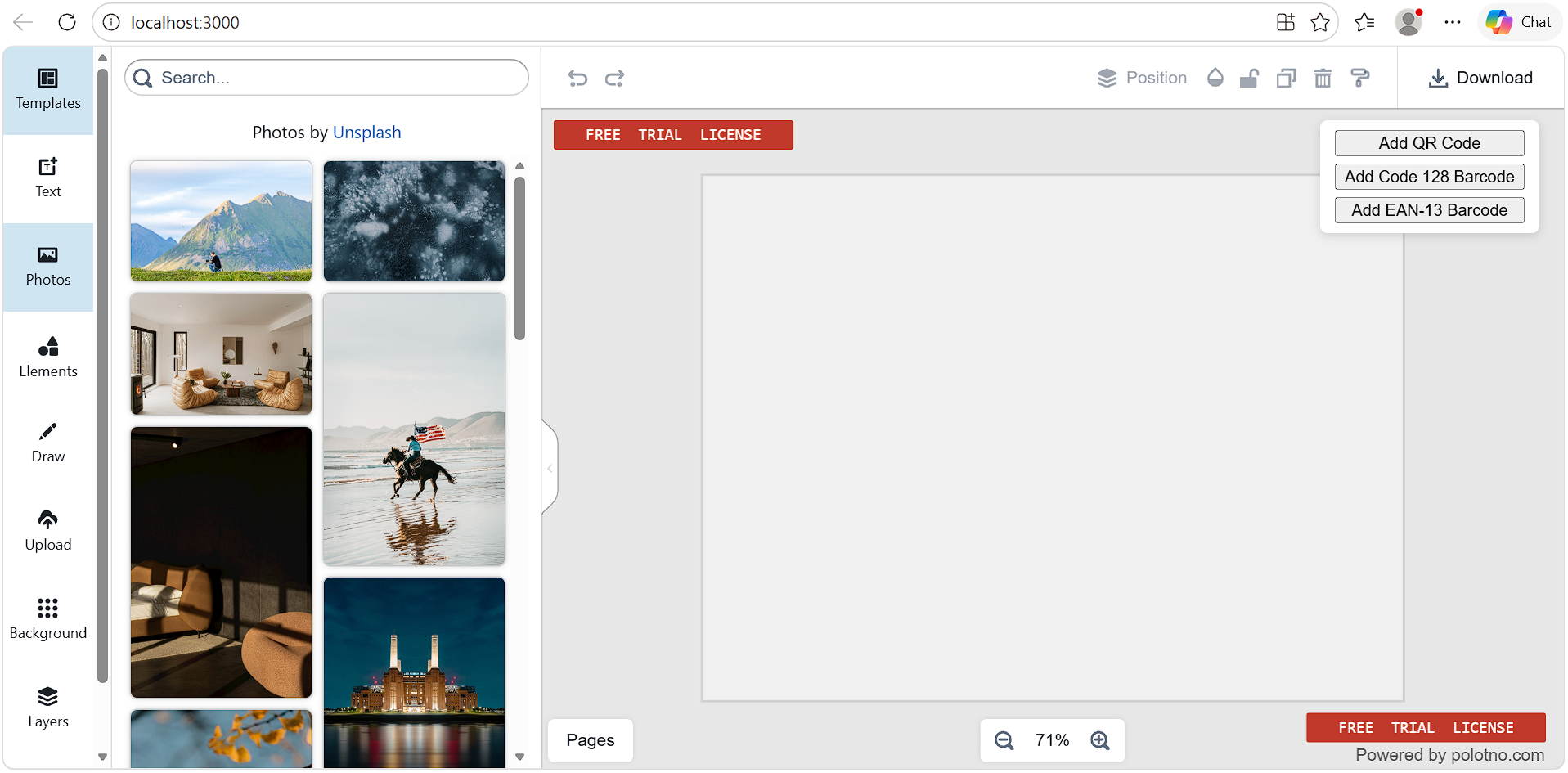
Add a QR code element to a Polotno canvas
For the official reference implementation, see: QR codes (Polotno docs).
Polotno does not have a built‑in QR element type. A practical implementation pattern is:
- Generate an SVG string from a payload.
- Convert it into an asset URL usable by Polotno.
- Store the payload in
customso you can regenerate and validate later.
import QRCode from 'qrcode';
import { svgToURL } from 'polotno/utils/svg';

export async function qrSvgUrl(payload) {
  const svgString = await QRCode.toString(payload, {
    type: 'svg',
    errorCorrectionLevel: 'M',
    margin: 4,
    color: {
      dark: '#000000',
      light: '#00000000',
    },
  });

  return svgToURL(svgString);
}

export async function addQrElement({ store, payload, x, y, size }) {
  const src = await qrSvgUrl(payload);

  store.activePage.addElement({
    type: 'svg',
    name: 'qr',
    x,
    y,
    width: size,
    height: size,
    src,
    custom: {
      isMachineCode: true,
      kind: 'qr',
      payload,
    },
  });
}
The point is not the QR library. The point is that the payload becomes a first‑class data field. That enables regeneration, deterministic caching, and automated decoding tests.
Bind dynamic payloads for VDP rendering
In VDP, the template should reference a variable, not hardcode a final payload. That is what makes a design editor in SaaS useful for programmatic exports.
A clean pattern is:
- At design time, store a template expression like
qr_urlin the element'scustomdata. - At render time, resolve record data, generate the QR asset, inject
src, and export.
If you are new to Polotno's custom metadata, start with the official docs on saving custom data: Saving custom data into a design.
Before you copy the snippet below, here is the minimal contract for the helper functions this pipeline assumes:
resolveTemplate(templateString, record) → string: replaces placeholders likeqr_urlwith values from the current record.sha256(input) → string: returns a stable hash used for content-addressable caching.assetCache.getOrSet(key, factoryFn) → Promise<string>: returns a cached asset URL, or callsfactoryFnonce and caches the result.
export function markQrPlaceholder(el, variableName) {
  el.set({
    name: 'qr',
    custom: {
      ...(el.custom || {}),
      isMachineCode: true,
      kind: 'qr',
      payloadTemplate: variableName,
    },
  });
}

export async function resolveMachineCodes({ store, record, assetCache }) {
  for (const page of store.pages) {
    for (const el of page.children) {
      if (!el.custom?.isMachineCode) continue;

      if (el.custom.kind === 'qr') {
        const payload = resolveTemplate(el.custom.payloadTemplate, record);
        const cacheKey = `qr:${sha256(payload)}`;

        const src = await assetCache.getOrSet(cacheKey, () => qrSvgUrl(payload));

        el.set({
          src,
          custom: {
            ...el.custom,
            payload,
          },
        });
      }
    }
  }
}
This makes your batch renderer idempotent. If a job re‑runs, the same payload hash produces the same asset, which is exactly what you want for auditability.
Generate and inject codes server‑side
For production exports, generate QR codes and barcodes on the server so you can pin library versions, enforce determinism, cache aggressively, and validate outputs.
If you want a managed path for backend rendering without running your own infrastructure, Polotno's docs cover the option here: Cloud Render API. Client‑side generation is useful for interactive previews, but server‑side generation should be the source of truth for final PDF and PNG output.
A typical programmatic design pipeline looks like this:
- Template JSON is authored in your app's embedded editor.
- Your renderer loads the template JSON.
- For each record, the renderer resolves variables, generates code SVGs, injects them into elements, and exports to PDF or PNG.
If you want deeper context on rendering and export options, see: Import and export overview.
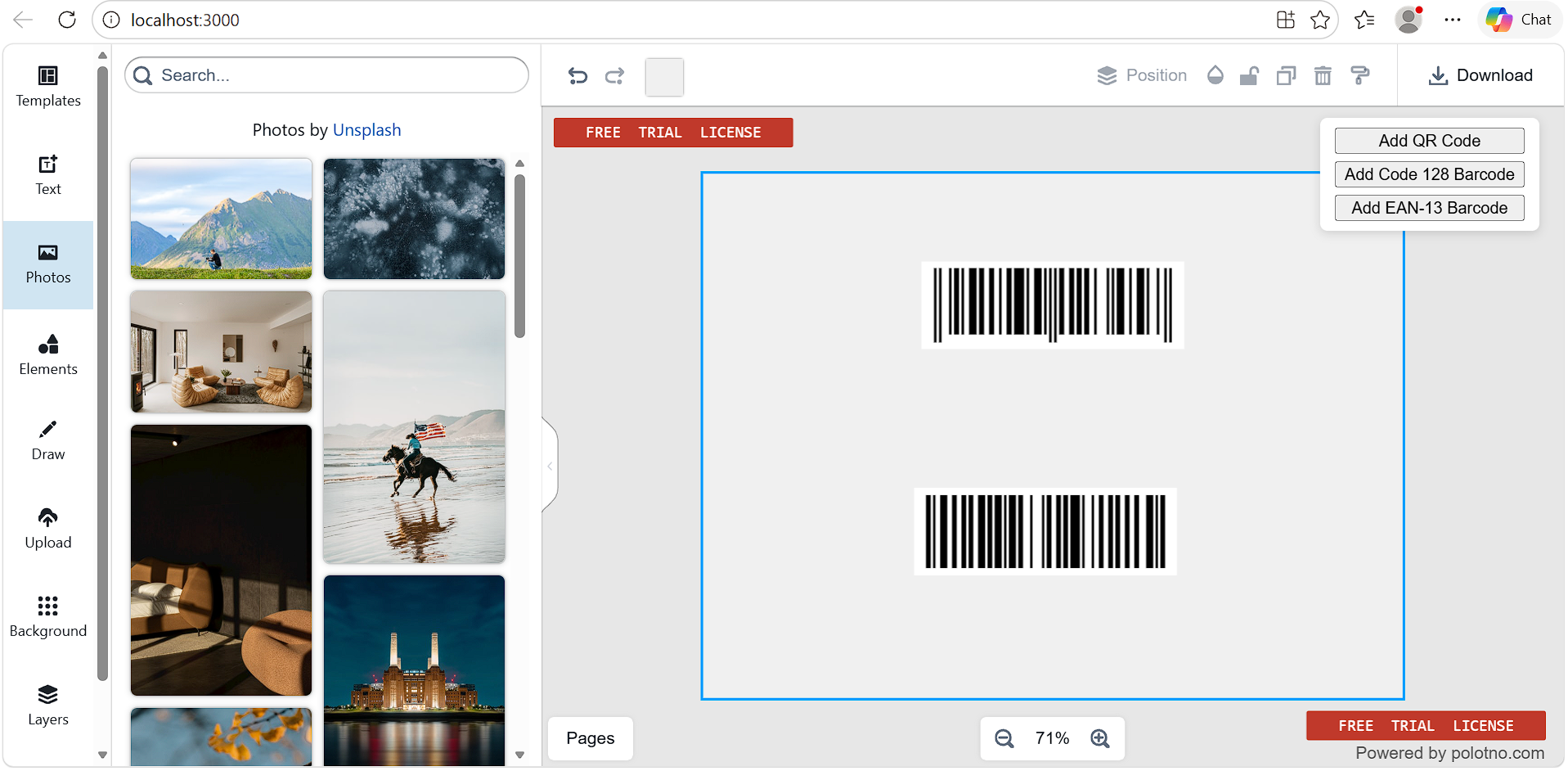
Add barcode support (Code 128, EAN)
Barcodes follow the same pattern: generate SVG externally and inject it.
For the official baseline implementation, see: Bar Codes (Polotno docs).
The important difference is that 1D barcodes are sensitive to distortion. If you allow free resizing, you will ship codes that cannot scan.
import JsBarcode from 'jsbarcode';
import { DOMImplementation, XMLSerializer } from 'xmldom';

export function code128SvgString(value) {
  const xml = new XMLSerializer();
  const doc = new DOMImplementation().createDocument('http://www.w3.org/1999/xhtml', 'html', null);
  const svgNode = doc.createElementNS('http://www.w3.org/2000/svg', 'svg');

  JsBarcode(svgNode, value, {
    xmlDocument: doc,
    format: 'CODE128',
    lineColor: '#000000',
    background: '#ffffff',
    displayValue: false,
    margin: 10,
  });

  return xml.serializeToString(svgNode);
}
Data modeling strategy
Most reliability problems start with payload decisions. If you encode too much, you force density up, you force module size down, and you pay for it in print failure rates.
Use short IDs, not long payloads
Prefer short, opaque identifiers and resolve them server‑side.
Example: instead of encoding a full tracking URL, encode v1_a3f9k2 and let a redirect service resolve it.
Version your payload format
Prefix tokens with a version (v1_, v2_) so you can change resolver behavior without reissuing printed material.
Uniqueness strategies in VDP
- Deterministic UUID from record ID is good when you do not need revocation.
- Pre‑generated token tables are good when you need explicit control and auditing.
- HMAC‑signed tokens are good when you want verifiability without storage.
Pick determinism by default. Reach for token tables when the business needs revocation or manual override.
Do not encode PII
Do not put emails, names, or order details in a QR payload. Anyone with a scanner can read it. Use opaque IDs and resolve inside your system.
Security model
If your codes resolve to privileged data, assume they will be scanned by unintended parties.
Signed tokens vs raw IDs
Raw sequential IDs are enumerable. Use opaque random IDs or sign your IDs so your resolver can reject tampering.
token = base64url(record_id + "." + HMAC-SHA256(secret_key, record_id))Return a generic 404 for invalid or expired tokens to avoid leaking details.
Expiring links
If you print tickets or time‑bound coupons, enforce expiry in the resolver. The physical code stays the same.
Prevent enumeration
Rate‑limit the resolver endpoint and use identifiers with sufficient entropy.
Tamper resistance and auditability
Store the payload and optionally store a hash of the generated SVG so you can prove what was generated for a specific record.
Where QR code generation should happen (client preview vs server rendering)
This section is about where generation happens and how you keep it deterministic.
Server‑side generation (recommended)
Server‑side generation gives you reproducibility and lets you cache by payload hash.
const hash = sha256(payload);
let svg = await cache.get(hash);

if (!svg) {
  svg = await QRCode.toString(payload, {
    type: 'svg',
    errorCorrectionLevel: 'M',
    margin: 4,
  });

  await cache.set(hash, svg, { ttl: 86400 });
}

return svg;
Client‑side preview
Client‑side generation is good for interactive editing. It is not a reliable source of truth for batch exports because you cannot control browser environments or dependency drift.
Cache by payload hash
A content‑addressable asset path makes reruns cheap and predictable.
/codes/qr/{sha256(payload)}.svgAvoid determinism traps
Pin generator library versions. Avoid injecting timestamps into SVG metadata. Keep configuration stable within a batch.
Format and encoding decisions
QR error correction levels
Error correction is a trade‑off between resilience and density. Default to M unless you have evidence you need Q or H.
| Level | Recovery | Typical fit |
|---|---|---|
| L | 7% | Digital‑only, low damage risk |
| M | 15% | General purpose for print and digital |
| Q | 25% | Mailers and labels with moderate wear risk |
| H | 30% | Industrial or outdoor conditions |
Barcode symbology selection
Code 128 is the default for flexible 1D payloads. EAN is the choice for retail compatibility. Avoid Code 39 for new work unless required by legacy tooling.
Payload size vs scannability
If you increase payload length, you increase QR density. If you keep printed size constant, higher density shrinks module size and reduces scannability.
A practical rule of thumb for print is to target payloads under 80 characters. If your canonical URL is longer, use a redirect layer.
Placement and sizing rules
These guidelines are working minimums for typical production conditions. They are not guarantees because printers, substrates, lighting, and scanner hardware vary.
QR code sizing
| Context | Typical minimum | Recommended |
|---|---|---|
| Business card (15–30 cm) | 15 mm × 15 mm | 20 mm × 20 mm |
| Postcard and direct mail | 20 mm × 20 mm | 25–30 mm |
| Retail shelf label | 20 mm × 20 mm | 25 mm |
| Large format posters | 40 mm × 40 mm | 50 mm+ |
| On‑screen (mobile) | 120 px × 120 px | 200 px |
Quiet zone
QR codes require a quiet zone of at least 4 modules on all sides. In practice, be conservative.
- Digital: target a 10 px margin minimum.
- Print: target a 3 mm margin minimum.
Treat any quiet‑zone clipping as a production bug.
Contrast
High contrast is not optional. Dark modules on a light background is the most reliable. If brand requires inverted colors, test with the scanner hardware that matters.
Rotation and skew
QR codes tolerate rotation. 1D barcodes do not. Keep 1D barcodes horizontal and avoid aggressive transforms.
Print workflow pitfalls (PDF export and print production)
Most print incidents come down to rasterization, dot gain, and finishing.
DPI and rasterization
If you export a QR as a low‑DPI raster image, it will blur and merge modules in print. Prefer SVG in the template and export vector PDFs.
If you are exporting PDFs directly from Polotno, read: PDF export. For server-side or higher-control exports, consider: Cloud Render API.
If you must rasterize, generate at print‑appropriate DPI.
Ink bleed and dot gain
On some print processes, dark areas spread slightly. Small modules can fill in. This is why you should not design at the minimum.
Gloss and reflections
Glossy coatings can create reflections that reduce scan reliability, especially for phone cameras. If the substrate is glossy, test physically.
Safe area and trim
Do not treat the quiet zone as your only margin. You still need safe area inside the trim so finishing does not cut into the quiet zone.
Digital workflow pitfalls
Digital failures are usually caused by compression and theme changes.
Compression artifacts
Never export codes as JPEG. Use SVG or PNG to avoid block artifacts that destroy module boundaries.
Dark mode and inversion
If your SaaS UI supports dark mode, treat QR colors as an explicit design choice. Test the exact rendering that users will scan.
How to QA QR codes at scale (automated decoding + sampling)
If you are generating assets at scale, QA cannot be "scan a few examples." It needs automated decoding and a sampling plan.
Unit tests: payload to decoded value
Validate that the generated code decodes back to the expected payload. Hashing the generated output is useful for determinism checks.
Automated decoding in CI
Run decoding as a gating step so bad batches cannot ship.
const decoded = await decodeQR(renderedImageBuffer);
assert(decoded === payload);
Sampling at scale
Even if you decode 100% in CI, you should still do physical sampling for print runs because printers are physical systems.
| Stage | Sample size | Method |
|---|---|---|
| Pre‑flight | First 10 records | Decode and visually inspect |
| Batch validation | 1% or 100, whichever is larger | Automated decode |
| Edge cases | Longest and shortest payloads, first and last records | Deterministic selection |
| Post‑print | 0.1% of print run | Real scanner hardware |
Handling partial failures
Design batch pipelines so a small number of failures does not block an entire render.
- Log failures with record ID, payload, and payload hash.
- Continue rendering.
- Produce a failure report.
- Support rerunning only the failed records.
Operational playbook
Operational thinking turns "codes in templates" into a maintainable product feature.
Monitor scan failures
If you use a redirect layer, compare expected scan volume to actual redirect hits. A large shortfall can indicate a print or placement issue.
Use a redirect layer for updates
Avoid encoding final destination URLs. A redirect layer lets you update destinations, add tracking, enforce expiry, and roll back without reprinting.
Rollback strategy
If you discover a malformed batch:
- Redirect layer with opaque tokens: you can still route scans to a safe landing page.
- Direct URL payloads: you cannot change printed payloads, so you need a reprint decision.
Keep audit logs (payload, hash, record ID, generator versions) for the lifetime of expected code usage.
FAQ
What is a reliable QR size for a standard postcard? For a 4×6 inch postcard, 25 mm × 25 mm with a 3 mm quiet zone is a reliable working size for typical phone scan distances up to 30 cm. Validate with your printer and a physical proof.
Why do some codes scan on screen but fail when printed? The usual causes are low‑DPI rasterization, dot gain collapsing small modules, or trimming that cuts into the quiet zone. Prefer SVG and vector PDF export, and inspect proofs at 100% before approving.
Should you encode a full URL or a short ID? Use a short ID plus a redirect layer. It improves scannability and gives you update flexibility and analytics.
How do you prevent people from guessing barcode or QR IDs? Use opaque random IDs or HMAC‑signed tokens with sufficient entropy, and rate‑limit the resolver endpoint.
How do you validate 10,000 QR codes automatically? Decode programmatically in CI as a gating step. For print, add physical sampling because printers add variability that CI cannot simulate.
Glossary
Asset URL: A URL that Polotno can load as an element src (for example an SVG data URL or a CDN URL).
Barcode (1D): A linear code (for example Code 128 or EAN‑13) that encodes data along one axis. 1D codes are sensitive to blur, skew, and aspect‑ratio changes.
Code 128: A high-density 1D barcode symbology that supports variable-length alphanumeric data. Common in logistics and internal labeling.
Content-addressable caching: A caching strategy where the cache key is derived from the content (for example sha256(payload)). If the payload is identical, the generated asset is identical and cacheable.
Custom metadata (custom): A field on Polotno elements used to store app-specific data (such as the QR payload, barcode value, or a variable key like qr_url) so your rendering pipeline can regenerate assets deterministically.
Determinism: The property that the same input payload and settings always produce the same output code image. Determinism is required for auditing, reproducibility, and debugging.
Dot gain (ink bleed): A print-production effect where ink spreads slightly on paper, causing small white gaps to close and thin lines to thicken. This can make dense QR modules merge.
EAN‑13: A 13-digit numeric barcode standard optimized for retail point-of-sale scanning.
Error correction (QR): Redundant information encoded into a QR code that allows scanning even when parts of the code are damaged. Higher error correction increases density.
Module (QR): The smallest square cell in a QR code grid. Effective module size after export and print determines scannability.
Payload: The data encoded into a QR code or barcode. In production systems, payloads are usually short tokens or IDs rather than full URLs.
Quiet zone: The blank margin around a QR code or barcode. Scanners use it to detect edges and calibrate. Clipping the quiet zone is a common cause of scan failures.
Rasterization: Converting vector content (like SVG) into pixels. Incorrect DPI or compression during rasterization can destroy scannability.
Redirect layer: A server endpoint that maps a short token payload to a destination URL. It enables URL changes, tracking, expiry, and security checks without changing printed codes.
Resolver: The server or function that turns a token payload into its final meaning (for example a destination URL or a database record).
Sampling (QA): A strategy for validating scannability in large batches by decoding a deterministic subset (edge cases) plus a random subset, and scanning a physical subset for print.
Symbology: The specific barcode format specification (QR, Code 128, EAN‑13). Symbology selection affects constraints, sizing, and scanning behavior.
VDP (variable data printing): Rendering many output variants from a template by injecting record-specific data (including QR codes and barcodes) for each record in a dataset.




